
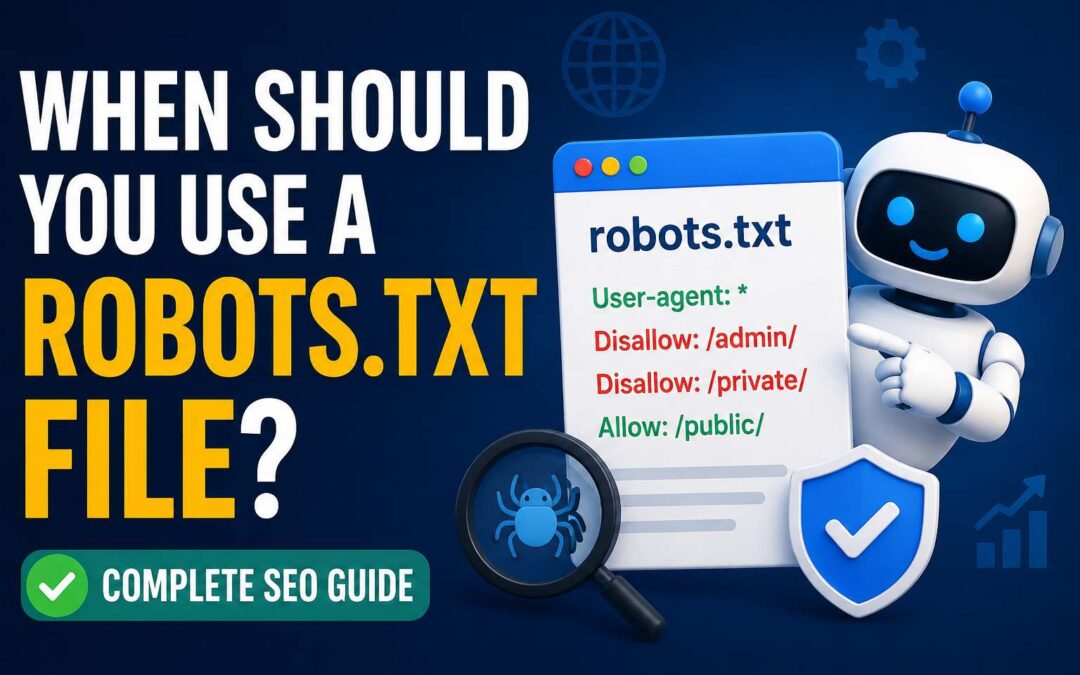
Search engines discover and index billions of web pages every day. To understand which pages should be crawled and which areas should be ignored, search engines rely on several technical signals. One of the most common tools website owners use to guide search engine crawlers is a robots.txt file.
A robots.txt file is a simple text file placed in the root directory of a website. It provides instructions to search engine bots about which pages or sections they can access and which ones they should avoid crawling.
However, many website owners misunderstand the purpose of robots.txt. It is not a security tool, and it does not completely block pages from appearing in search results. Instead, it helps manage crawler activity and improves how search engines spend their crawling resources.
Knowing when to use a robots.txt file can help improve technical SEO, protect server resources, and create a better crawling experience for search engines.
What Is a Robots.txt File?
A robots.txt file is a set of instructions written in plain text that communicates with web crawlers. These crawlers, also known as bots or spiders, visit websites to discover and analyze content for search engines.
When a search engine bot visits a website, it usually checks the robots.txt file before crawling pages. The file tells the bot which areas of the website are allowed or restricted.
For example, a basic robots.txt file may look like this:
User-agent: *
Disallow: /admin/
This instruction tells all search engine crawlers not to access the admin folder.
The robots.txt file follows the Robots Exclusion Protocol, which has become a standard method for website owners to communicate crawling preferences.
While major search engines respect robots.txt instructions, not every crawler is required to follow them. Trusted search engines like Google usually follow these rules, but malicious bots may ignore them.
Why Is Robots.txt Important for SEO?
A robots.txt file plays an important role in technical SEO because it helps control how search engines crawl a website.
Large websites often contain thousands or millions of pages. Not every page needs to be crawled or indexed. Some sections may contain duplicate content, temporary pages, or private areas that do not provide value in search results.
By using robots.txt correctly, website owners can guide crawlers toward important pages and reduce unnecessary crawling.
Some SEO benefits include:
- Improving crawl efficiency
- Reducing server load
- Preventing unnecessary pages from being crawled
- Helping search engines focus on valuable content
- Managing duplicate or low-value pages
However, robots.txt should be used carefully because incorrect instructions can accidentally block important pages from search engines.
When Should You Use a Robots.txt File?
1. When You Want to Control Search Engine Crawling
The main purpose of robots.txt is to control crawler access. If your website has sections that do not need search engine attention, robots.txt can help prevent unnecessary crawling.
For example, websites often have folders containing:
- Internal tools
- Testing pages
- Temporary files
- Admin sections
- Backend resources
These areas usually do not provide value to search users, so blocking crawlers can improve crawl efficiency.
For small websites, robots.txt may not make a noticeable difference. However, for larger websites with many pages, controlling crawler activity becomes much more important.
2. When Your Website Has Duplicate Content
Duplicate content can create SEO challenges because search engines may spend time crawling multiple versions of similar pages.
Many websites automatically create duplicate URLs through:
- Search filters
- Sorting options
- Internal search pages
- Tracking parameters
- Printer-friendly pages
For example, an online store may have hundreds of URLs created from product filters. Most of these pages do not need to appear in search results.
A robots.txt file can help prevent crawlers from wasting resources on unnecessary URL patterns.
However, robots.txt should not be your only solution for duplicate content. Other methods like canonical tags and proper URL management are often needed.
3. When You Have Private or Internal Website Sections
Many websites contain areas that are useful for users but not suitable for search engines.
Examples include:
- Login pages
- Customer dashboards
- Account pages
- Internal search results
- Employee portals
Using robots.txt can tell search engines not to crawl these sections.
Example:
User-agent: *
Disallow: /account/
Disallow: /login/
This prevents search engine crawlers from accessing those directories.
However, remember that robots.txt does not protect sensitive information. A blocked URL can still potentially appear in search results if other websites link to it.
For truly private information, use password protection or proper access controls.
4. When You Want to Reduce Server Load
Large websites receive frequent visits from search engine crawlers. If bots constantly crawl unnecessary pages, they can consume server resources.
A robots.txt file can help reduce unnecessary crawling by blocking areas that do not require indexing.
This is especially useful for:
- News websites
- Ecommerce websites
- Large marketplaces
- Websites with thousands of pages
By guiding crawlers toward valuable content, you can create a more efficient crawling process.
5. When Your Website Has Development or Testing Areas
Many websites have staging environments, test pages, or development sections before launching new features.
These pages should usually not appear in search results.
A robots.txt file can help prevent search engines from crawling these areas.
Example:
User-agent: *
Disallow: /test/
Disallow: /staging/
This helps reduce the chance of unfinished content being discovered.
However, the best practice is to keep development websites protected with passwords rather than relying only on robots.txt.
6. When You Want to Block Specific Crawlers
Robots.txt can also target specific bots.
For example, you may want to give different instructions to different crawlers.
Example:
User-agent: Googlebot
Disallow: /private/
User-agent: Bingbot
Disallow: /private/
This allows website owners to customize crawling instructions.
Some websites use this feature to manage third-party crawlers or specific automated tools.
When Should You Avoid Using Robots.txt?
Although robots.txt is useful, it is not always the right solution.
There are situations where blocking pages through robots.txt can create SEO problems.
Do Not Use Robots.txt to Hide Important Pages
If you block important pages accidentally, search engines may not crawl or understand your website properly.
Avoid blocking:
- Main category pages
- Important blog posts
- Product pages
- Service pages
- CSS and JavaScript files needed for rendering
Search engines need access to important resources to understand your website.
Do Not Use Robots.txt for Security
Many beginners think robots.txt can hide confidential information. It cannot.
Anyone can visit:
yourwebsite.com/robots.txt
and see your instructions.
If you need to protect private information, use:
- Password protection
- User authentication
- Server-level security
- Proper permission controls
Do Not Block Pages You Want Indexed
If a page should appear in Google search results, do not block it with robots.txt.
For example, blocking your blog folder:
Disallow: /blog/
could prevent search engines from discovering valuable articles.
Always check your robots.txt rules before publishing changes.
How to Create a Robots.txt File
Creating a robots.txt file is simple.
Follow these steps:
Step 1: Open a Text Editor
Use a basic text editor like Notepad or any code editor.
Step 2: Add Your Rules
Create instructions using the correct format.
Common commands include:
User-agent
Defines which crawler the rule applies to.
Example:
User-agent: *
The asterisk means all crawlers.
Disallow
Blocks specific areas.
Example:
Disallow: /private/
Allow
Allows access to specific pages inside blocked folders.
Example:
Allow: /private/public-page.html
Sitemap
You can also include your XML sitemap location.
Example:
Sitemap: https://example.com/sitemap.xml
Step 3: Upload the File
The robots.txt file should be placed in your website’s root directory.
The correct location should be:
It should not be placed inside another folder.
Common Robots.txt Mistakes
Many SEO problems happen because of incorrect robots.txt settings.
Some common mistakes include:
Blocking the Entire Website
This rule blocks all search engines:
User-agent: *
Disallow: /
This means crawlers cannot access any page.
It is one of the biggest mistakes made during website development.
Blocking Important Resources
Blocking images, CSS, or JavaScript files can prevent search engines from properly understanding your website.
Using Incorrect Syntax
Robots.txt follows specific formatting rules. Extra spaces, incorrect characters, or wrong paths can cause unexpected results.
Forgetting to Update After Website Launch
Developers sometimes block the entire website during development and forget to remove the restriction after launch.
Always check your robots.txt file after moving a website live.
How to Test Your Robots.txt File
Before making your robots.txt file public, test it carefully.
You can use tools like:
- Google Search Console robots.txt tester
- SEO auditing tools
- Website crawling software
Testing helps identify accidental blocks and crawling problems.
Regularly reviewing your robots.txt file is a good technical SEO practice.
Robots.txt vs Noindex: What Is the Difference?
Many website owners confuse robots.txt with the noindex tag.
They serve different purposes.
Robots.txt controls crawling.
Noindex controls indexing.
For example:
If you do not want Google to crawl a page, robots.txt can block access.
If you allow Google to crawl a page but do not want it displayed in search results, use a noindex directive.
Choosing the right method depends on your goal.
Should Every Website Have a Robots.txt File?
Most websites should have a robots.txt file, even if it contains simple instructions.
Having one allows website owners to communicate clearly with search engines.
Small websites may only need a basic file, while large websites require more advanced rules.
A simple robots.txt file can also include your sitemap location:
User-agent: *
Allow: /
Sitemap: https://example.com/sitemap.xml
This tells crawlers that they can access the website and shows where the sitemap exists.
Best Practices for Using Robots.txt
Follow these practices to avoid SEO issues:
- Always keep your robots.txt file accessible
- Use clear and simple rules
- Avoid blocking important pages
- Test changes before publishing
- Review the file regularly
- Add your sitemap URL
- Do not use it as a security solution
- Monitor crawling behavior in Google Search Console
A properly configured robots.txt file supports better website management and helps search engines crawl efficiently.
Final Thoughts
A robots.txt file is a valuable technical SEO tool that helps website owners guide search engine crawlers. It is especially useful for controlling unnecessary crawling, managing large websites, blocking testing areas, and improving crawl efficiency.
However, robots.txt should be used carefully. Incorrect settings can prevent important pages from being discovered by search engines and negatively affect organic visibility.
The best approach is to use robots.txt only when necessary and combine it with other SEO methods such as sitemap optimization, canonical tags, and proper indexing strategies.
When used correctly, a robots.txt file helps search engines spend their crawling resources on the pages that matter most.
Meta Title:
When Should You Use a Robots.txt File? Complete SEO Guide
Meta Description:
Learn when to use a robots.txt file, how it works, and how it helps search engines crawl your website more efficiently.
When Should You Use a Robots.txt File?
Search engines discover and index billions of web pages every day. To understand which pages should be crawled and which areas should be ignored, search engines rely on several technical signals. One of the most common tools website owners use to guide search engine crawlers is a robots.txt file.
A robots.txt file is a simple text file placed in the root directory of a website. It provides instructions to search engine bots about which pages or sections they can access and which ones they should avoid crawling.
However, many website owners misunderstand the purpose of robots.txt. It is not a security tool, and it does not completely block pages from appearing in search results. Instead, it helps manage crawler activity and improves how search engines spend their crawling resources.
Knowing when to use a robots.txt file can help improve technical SEO, protect server resources, and create a better crawling experience for search engines.
What Is a Robots.txt File?
A robots.txt file is a set of instructions written in plain text that communicates with web crawlers. These crawlers, also known as bots or spiders, visit websites to discover and analyze content for search engines.
When a search engine bot visits a website, it usually checks the robots.txt file before crawling pages. The file tells the bot which areas of the website are allowed or restricted.
For example, a basic robots.txt file may look like this:
User-agent: *
Disallow: /admin/
This instruction tells all search engine crawlers not to access the admin folder.
The robots.txt file follows the Robots Exclusion Protocol, which has become a standard method for website owners to communicate crawling preferences.
While major search engines respect robots.txt instructions, not every crawler is required to follow them. Trusted search engines like Google usually follow these rules, but malicious bots may ignore them.
Why Is Robots.txt Important for SEO?
A robots.txt file plays an important role in technical SEO because it helps control how search engines crawl a website.
Large websites often contain thousands or millions of pages. Not every page needs to be crawled or indexed. Some sections may contain duplicate content, temporary pages, or private areas that do not provide value in search results.
By using robots.txt correctly, website owners can guide crawlers toward important pages and reduce unnecessary crawling.
Some SEO benefits include:
- Improving crawl efficiency
- Reducing server load
- Preventing unnecessary pages from being crawled
- Helping search engines focus on valuable content
- Managing duplicate or low-value pages
However, robots.txt should be used carefully because incorrect instructions can accidentally block important pages from search engines.
When Should You Use a Robots.txt File?
1. When You Want to Control Search Engine Crawling
The main purpose of robots.txt is to control crawler access. If your website has sections that do not need search engine attention, robots.txt can help prevent unnecessary crawling.
For example, websites often have folders containing:
- Internal tools
- Testing pages
- Temporary files
- Admin sections
- Backend resources
These areas usually do not provide value to search users, so blocking crawlers can improve crawl efficiency.
For small websites, robots.txt may not make a noticeable difference. However, for larger websites with many pages, controlling crawler activity becomes much more important.
2. When Your Website Has Duplicate Content
Duplicate content can create SEO challenges because search engines may spend time crawling multiple versions of similar pages.
Many websites automatically create duplicate URLs through:
- Search filters
- Sorting options
- Internal search pages
- Tracking parameters
- Printer-friendly pages
For example, an online store may have hundreds of URLs created from product filters. Most of these pages do not need to appear in search results.
A robots.txt file can help prevent crawlers from wasting resources on unnecessary URL patterns.
However, robots.txt should not be your only solution for duplicate content. Other methods like canonical tags and proper URL management are often needed.
3. When You Have Private or Internal Website Sections
Many websites contain areas that are useful for users but not suitable for search engines.
Examples include:
- Login pages
- Customer dashboards
- Account pages
- Internal search results
- Employee portals
Using robots.txt can tell search engines not to crawl these sections.
Example:
User-agent: *
Disallow: /account/
Disallow: /login/
This prevents search engine crawlers from accessing those directories.
However, remember that robots.txt does not protect sensitive information. A blocked URL can still potentially appear in search results if other websites link to it.
For truly private information, use password protection or proper access controls.
4. When You Want to Reduce Server Load
Large websites receive frequent visits from search engine crawlers. If bots constantly crawl unnecessary pages, they can consume server resources.
A robots.txt file can help reduce unnecessary crawling by blocking areas that do not require indexing.
This is especially useful for:
- News websites
- Ecommerce websites
- Large marketplaces
- Websites with thousands of pages
By guiding crawlers toward valuable content, you can create a more efficient crawling process.
5. When Your Website Has Development or Testing Areas
Many websites have staging environments, test pages, or development sections before launching new features.
These pages should usually not appear in search results.
A robots.txt file can help prevent search engines from crawling these areas.
Example:
User-agent: *
Disallow: /test/
Disallow: /staging/
This helps reduce the chance of unfinished content being discovered.
However, the best practice is to keep development websites protected with passwords rather than relying only on robots.txt.
6. When You Want to Block Specific Crawlers
Robots.txt can also target specific bots.
For example, you may want to give different instructions to different crawlers.
Example:
User-agent: Googlebot
Disallow: /private/
User-agent: Bingbot
Disallow: /private/
This allows website owners to customize crawling instructions.
Some websites use this feature to manage third-party crawlers or specific automated tools.
When Should You Avoid Using Robots.txt?
Although robots.txt is useful, it is not always the right solution.
There are situations where blocking pages through robots.txt can create SEO problems.
Do Not Use Robots.txt to Hide Important Pages
If you block important pages accidentally, search engines may not crawl or understand your website properly.
Avoid blocking:
- Main category pages
- Important blog posts
- Product pages
- Service pages
- CSS and JavaScript files needed for rendering
Search engines need access to important resources to understand your website.
Do Not Use Robots.txt for Security
Many beginners think robots.txt can hide confidential information. It cannot.
Anyone can visit:
yourwebsite.com/robots.txt
and see your instructions.
If you need to protect private information, use:
- Password protection
- User authentication
- Server-level security
- Proper permission controls
Do Not Block Pages You Want Indexed
If a page should appear in Google search results, do not block it with robots.txt.
For example, blocking your blog folder:
Disallow: /blog/
could prevent search engines from discovering valuable articles.
Always check your robots.txt rules before publishing changes.
How to Create a Robots.txt File
Creating a robots.txt file is simple.
Follow these steps:
Step 1: Open a Text Editor
Use a basic text editor like Notepad or any code editor.
Step 2: Add Your Rules
Create instructions using the correct format.
Common commands include:
User-agent
Defines which crawler the rule applies to.
Example:
User-agent: *
The asterisk means all crawlers.
Disallow
Blocks specific areas.
Example:
Disallow: /private/
Allow
Allows access to specific pages inside blocked folders.
Example:
Allow: /private/public-page.html
Sitemap
You can also include your XML sitemap location.
Example:
Sitemap: https://example.com/sitemap.xml
Step 3: Upload the File
The robots.txt file should be placed in your website’s root directory.
The correct location should be:
It should not be placed inside another folder.
Common Robots.txt Mistakes
Many SEO problems happen because of incorrect robots.txt settings.
Some common mistakes include:
Blocking the Entire Website
This rule blocks all search engines:
User-agent: *
Disallow: /
This means crawlers cannot access any page.
It is one of the biggest mistakes made during website development.
Blocking Important Resources
Blocking images, CSS, or JavaScript files can prevent search engines from properly understanding your website.
Using Incorrect Syntax
Robots.txt follows specific formatting rules. Extra spaces, incorrect characters, or wrong paths can cause unexpected results.
Forgetting to Update After Website Launch
Developers sometimes block the entire website during development and forget to remove the restriction after launch.
Always check your robots.txt file after moving a website live.
How to Test Your Robots.txt File
Before making your robots.txt file public, test it carefully.
You can use tools like:
- Google Search Console robots.txt tester
- SEO auditing tools
- Website crawling software
Testing helps identify accidental blocks and crawling problems.
Regularly reviewing your robots.txt file is a good technical SEO practice.
Robots.txt vs Noindex: What Is the Difference?
Many website owners confuse robots.txt with the noindex tag.
They serve different purposes.
Robots.txt controls crawling.
Noindex controls indexing.
For example:
If you do not want Google to crawl a page, robots.txt can block access.
If you allow Google to crawl a page but do not want it displayed in search results, use a noindex directive.
Choosing the right method depends on your goal.
Should Every Website Have a Robots.txt File?
Most websites should have a robots.txt file, even if it contains simple instructions.
Having one allows website owners to communicate clearly with search engines.
Small websites may only need a basic file, while large websites require more advanced rules.
A simple robots.txt file can also include your sitemap location:
User-agent: *
Allow: /
Sitemap: https://example.com/sitemap.xml
This tells crawlers that they can access the website and shows where the sitemap exists.
Best Practices for Using Robots.txt
Follow these practices to avoid SEO issues:
- Always keep your robots.txt file accessible
- Use clear and simple rules
- Avoid blocking important pages
- Test changes before publishing
- Review the file regularly
- Add your sitemap URL
- Do not use it as a security solution
- Monitor crawling behavior in Google Search Console
A properly configured robots.txt file supports better website management and helps search engines crawl efficiently.
Final Thoughts
A robots.txt file is a valuable technical SEO tool that helps website owners guide search engine crawlers. It is especially useful for controlling unnecessary crawling, managing large websites, blocking testing areas, and improving crawl efficiency.
However, robots.txt should be used carefully. Incorrect settings can prevent important pages from being discovered by search engines and negatively affect organic visibility.
The best approach is to use robots.txt only when necessary and combine it with other SEO methods such as sitemap optimization, canonical tags, and proper indexing strategies.
When used correctly, a robots.txt file helps search engines spend their crawling resources on the pages that matter most.